

11 chapters

Everything in AllStreamHub, step by step

A complete walkthrough of the platform — from your first sign-in to broadcasting scripture, lyrics, and lower thirds live. Every screenshot was captured directly from the running app, and every chapter has a short video.
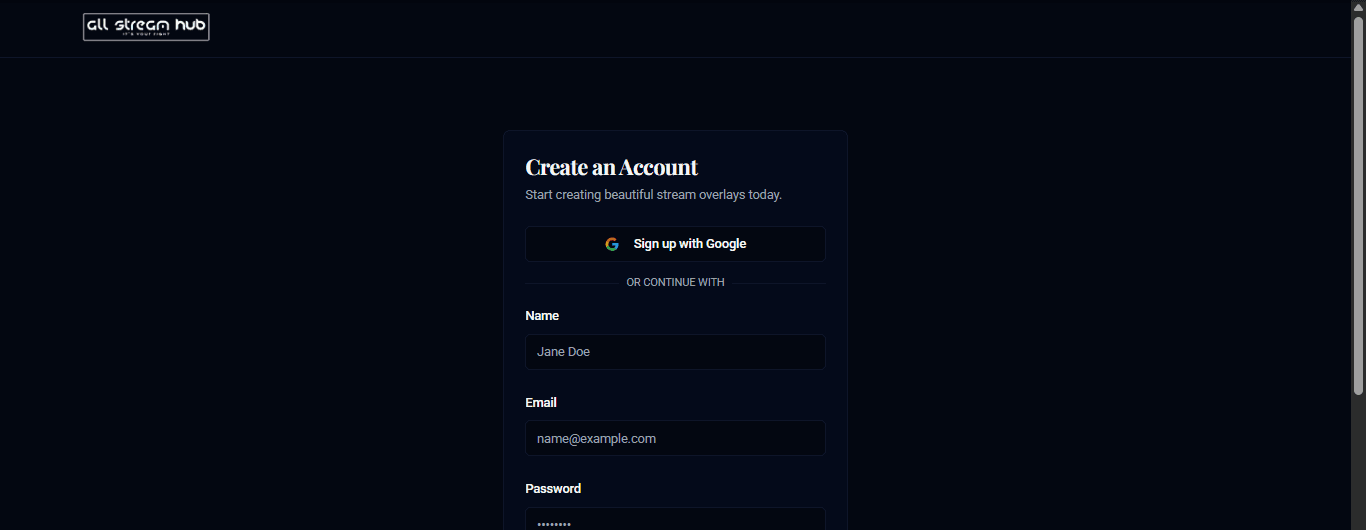
Top of the sign-up page, with Sign up with Google
Chapter 01

Signing Up & Logging In

4 steps · video included

Create an account or sign back in — with email, or one click through Google.
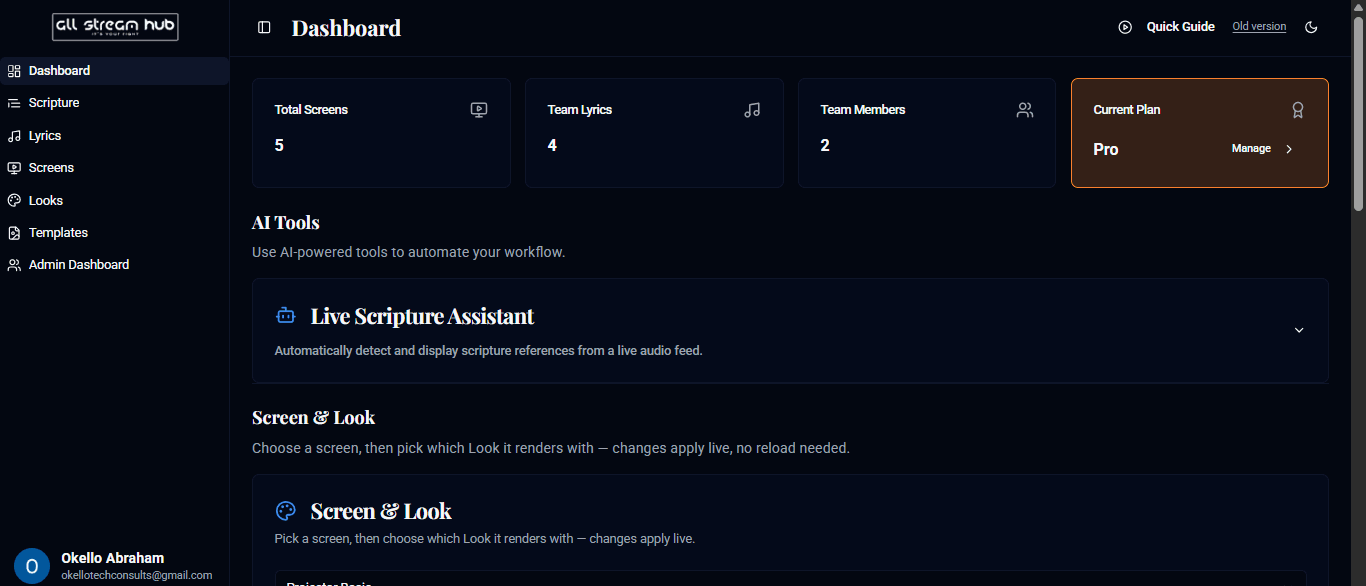
The dashboard, showing usage stats and AI Tools
Chapter 02

The Dashboard

5 steps · video included

Your mission control — usage at a glance, AI tools, and quick access to every screen.
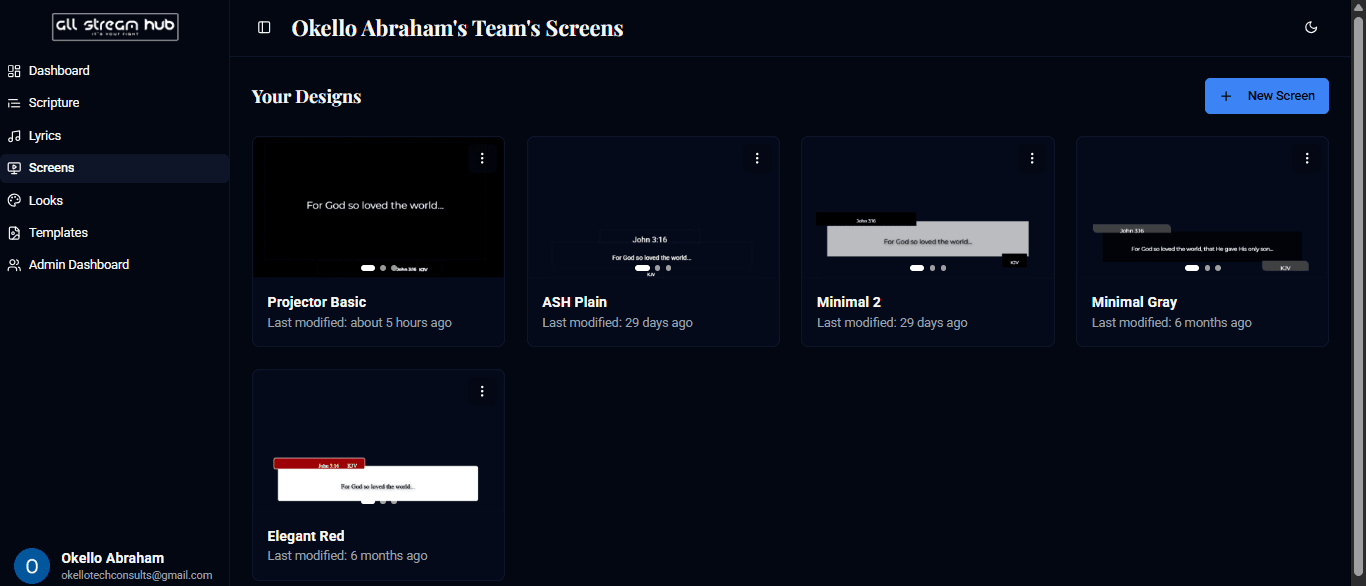
The Screens page listing every design the team has built
Chapter 03

Managing Screens

4 steps · video included

Every design you build lives here — create, edit, preview, or retire a screen.
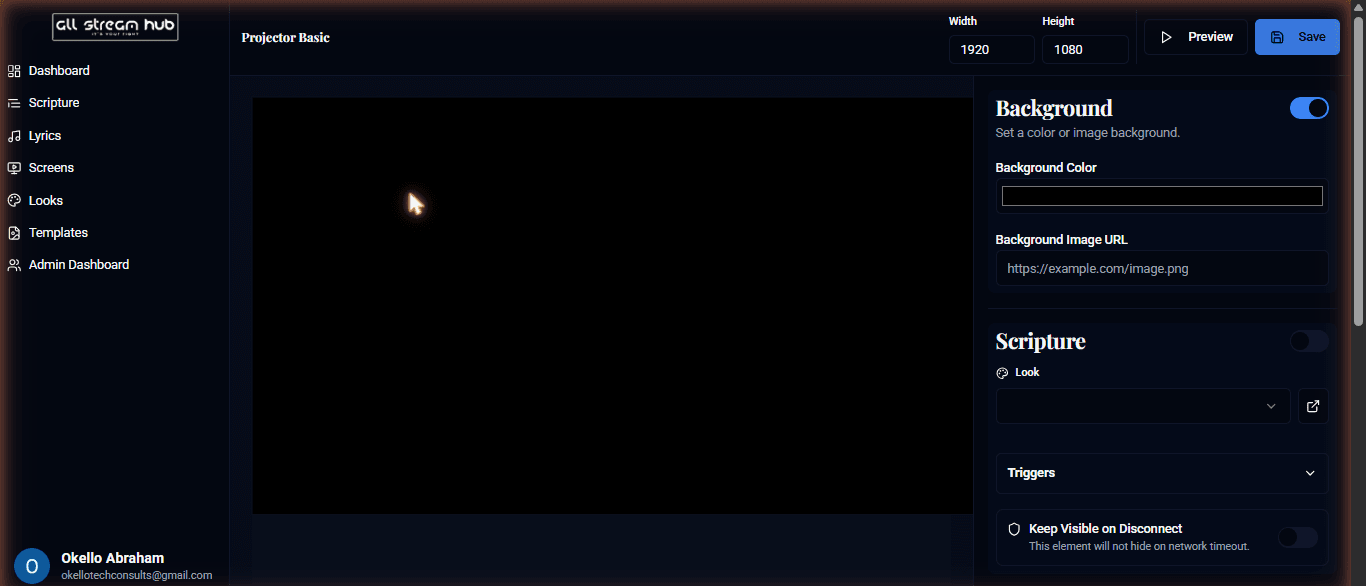
The Screen Designer canvas
Chapter 04

The Screen Designer

5 steps · video included

Build the look — background, live scripture and lyrics layers, and custom elements.
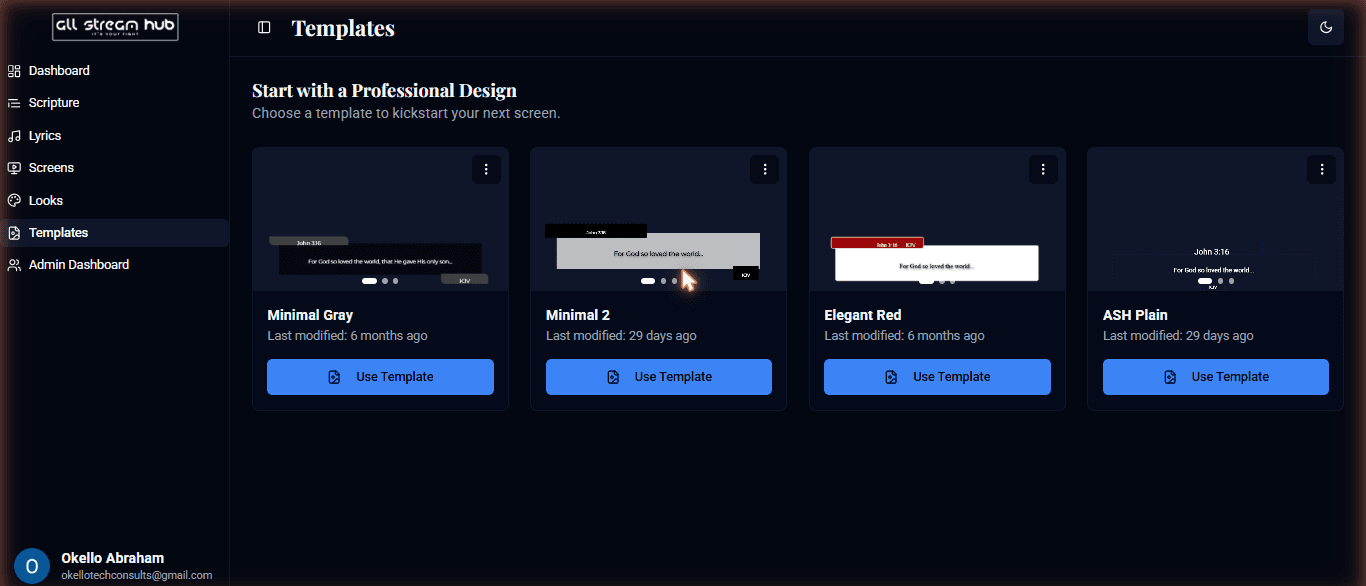
The Templates page with previewed starting points
Chapter 05

Using Templates

4 steps · video included

Skip the blank canvas — start from a professionally designed layout.
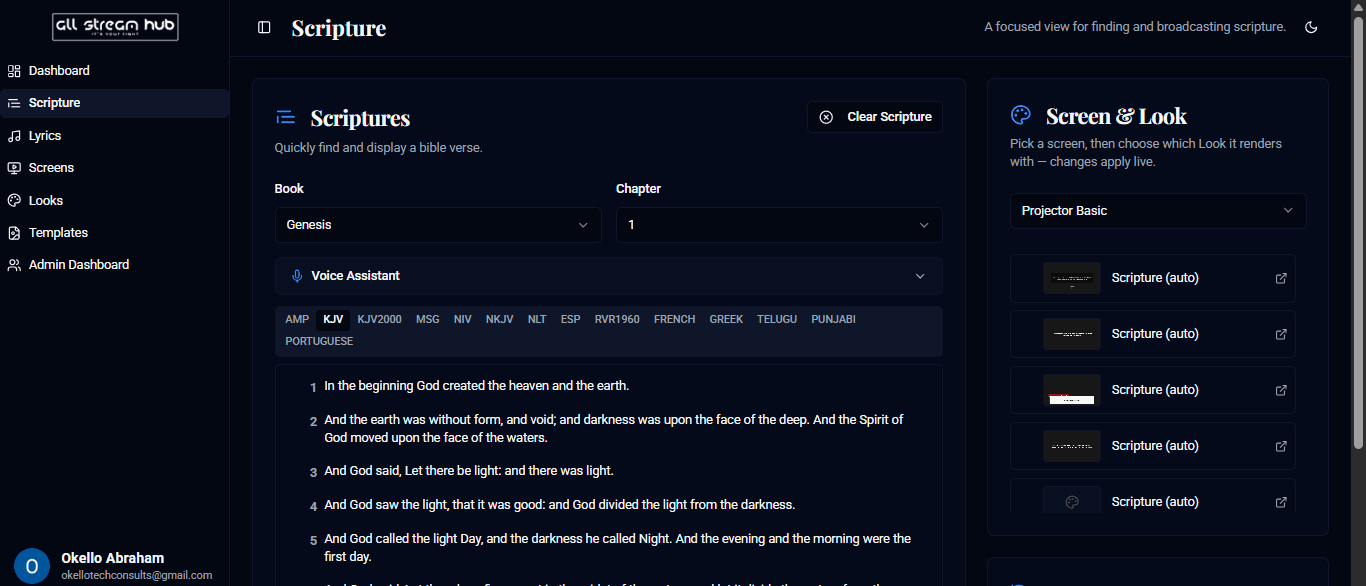
The Scripture page with book, chapter, and translation pickers
Chapter 06

Broadcasting Scripture

5 steps · video included

Find a verse and put it on screen in two clicks.
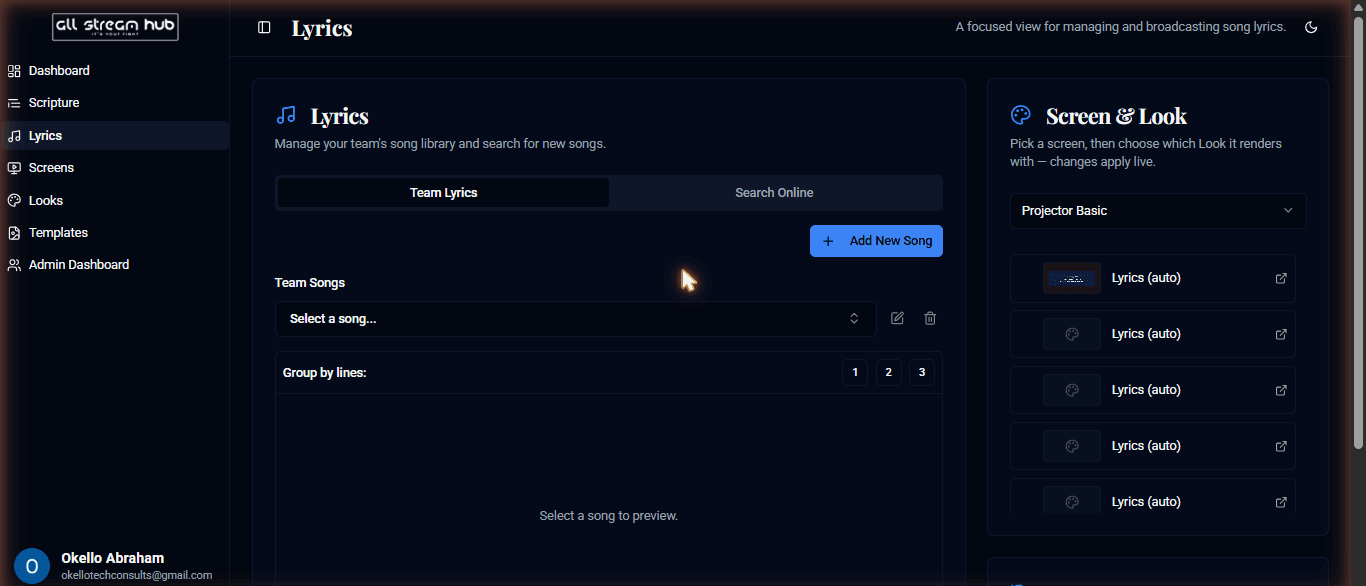
The Team Lyrics library
Chapter 07

Broadcasting Lyrics

4 steps · video included

Your own song library, or search online — either way, on screen in a click.
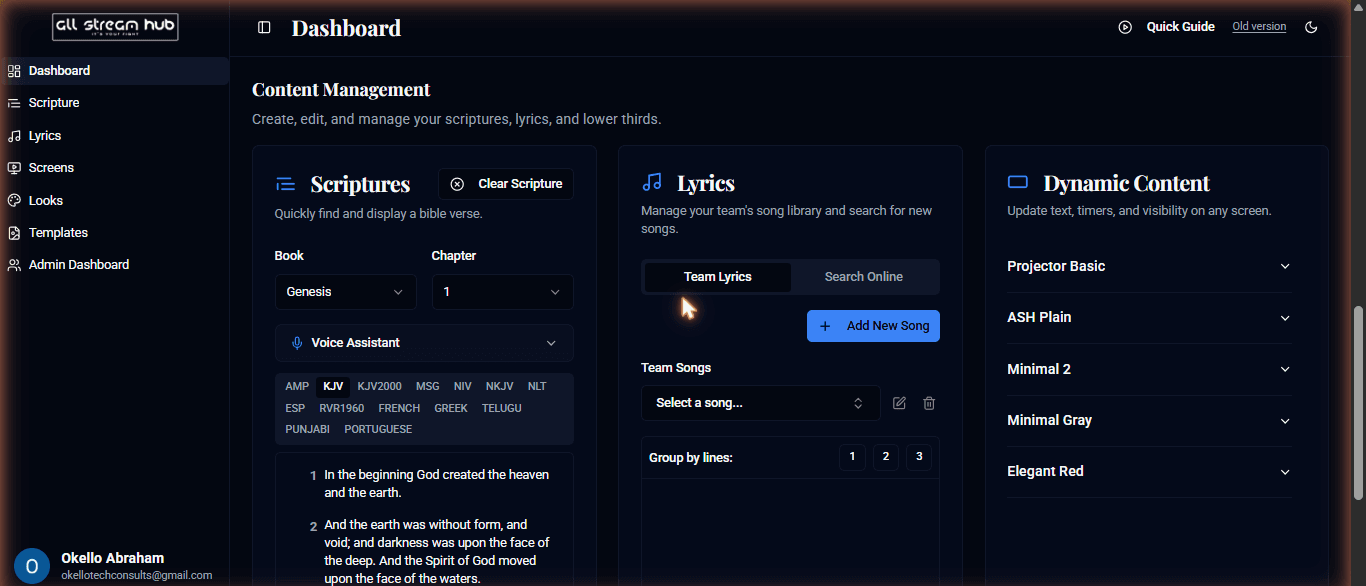
The Content Management section of the dashboard
Chapter 08

Broadcasting Lower Thirds

5 steps · video included

Live text, timers, and visibility control for any screen — from the Dynamic Content panel.
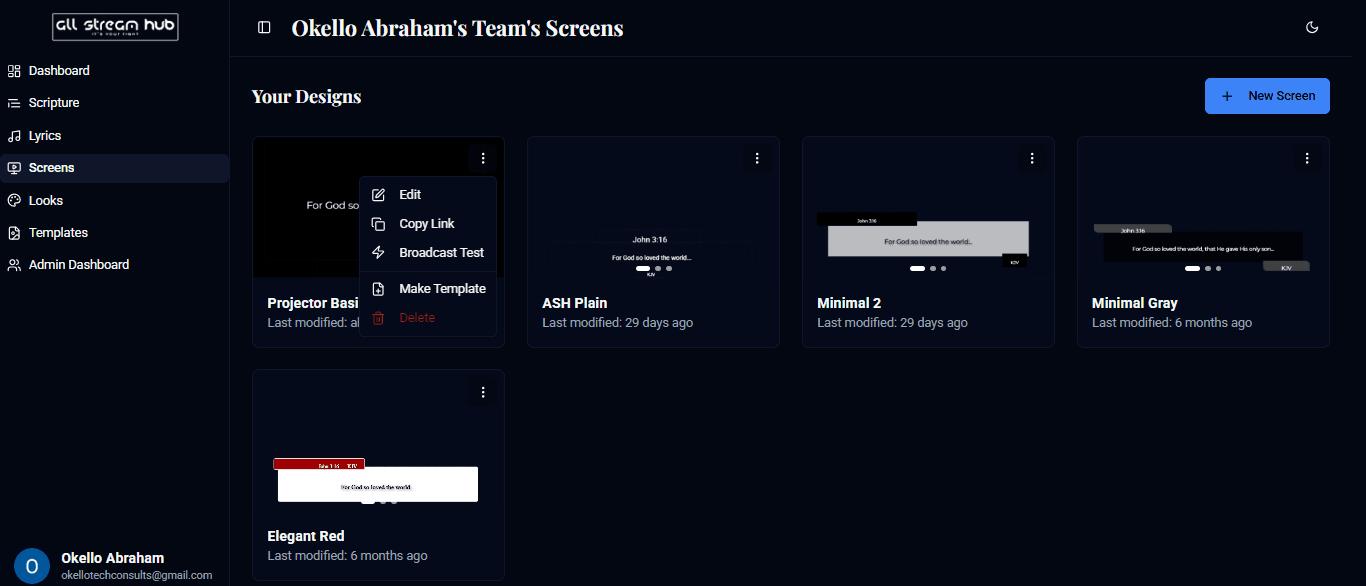
The three-dot menu on a screen card, open
Chapter 09

Getting Your Screen Link

4 steps · video included

One link per screen — copy it, and it's ready for any broadcast software or browser.
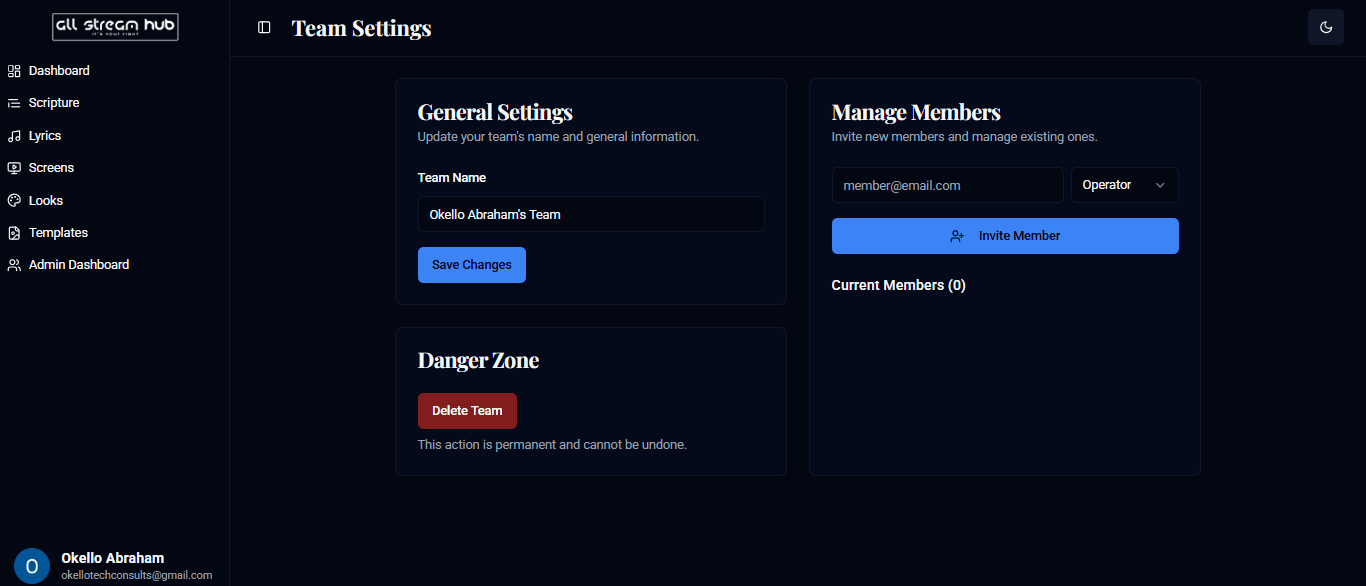
The Team Settings page
Chapter 10

Team Settings

4 steps · video included

Rename your team and bring collaborators on board with the right role.
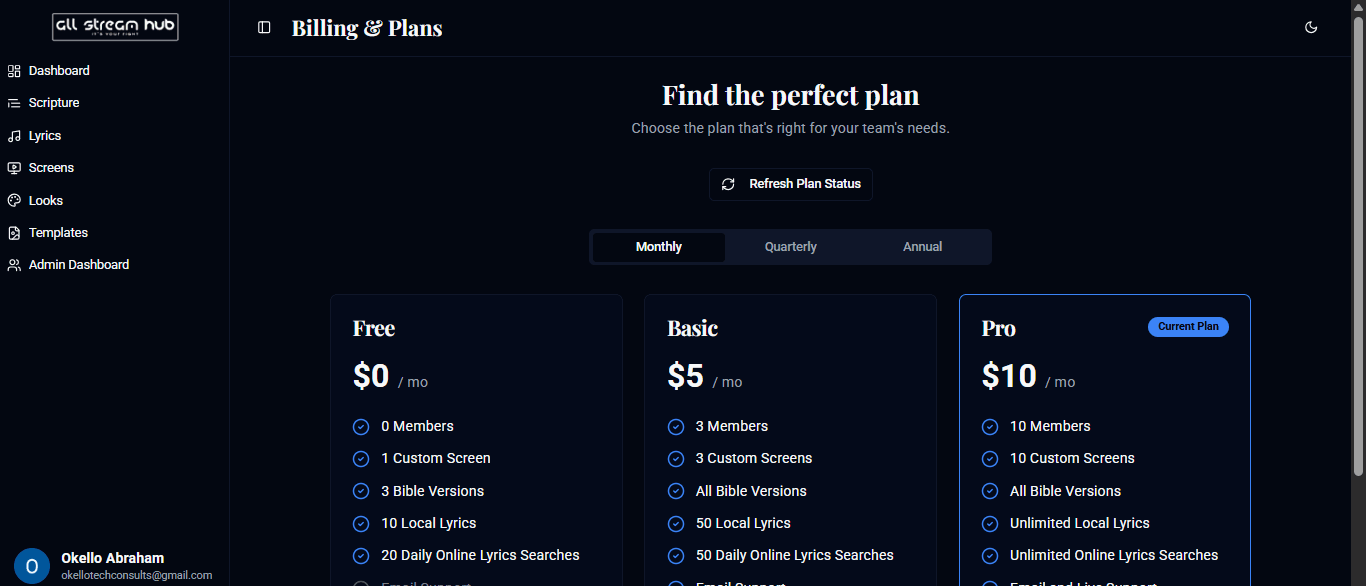
The Billing & Plans comparison table
Chapter 11

Billing & Plans

4 steps · video included

Compare tiers and see exactly what your current plan includes.

One thing this guide leaves out: pasting your screen link into OBS Studio specifically. Chapter 09 covers getting the link — dropping it into a browser source is covered separately.