Live text, timers, and visibility control for any screen — from the Dynamic Content panel.
Steps
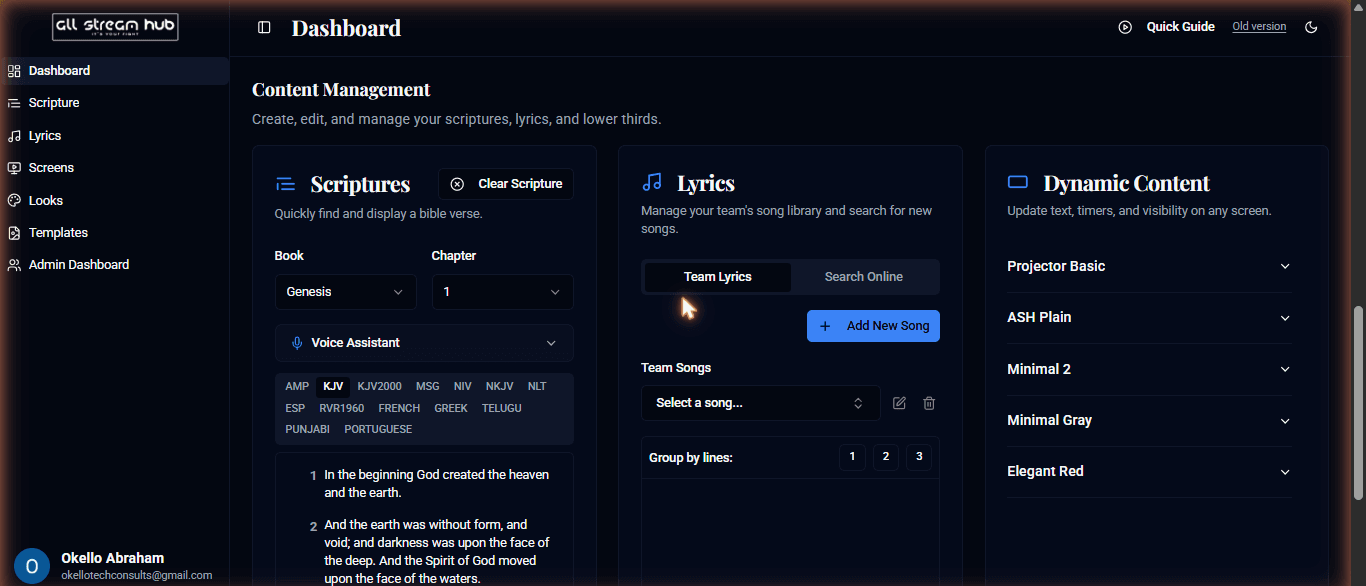
1On the Dashboard, find the Dynamic Content column inside Content Management.
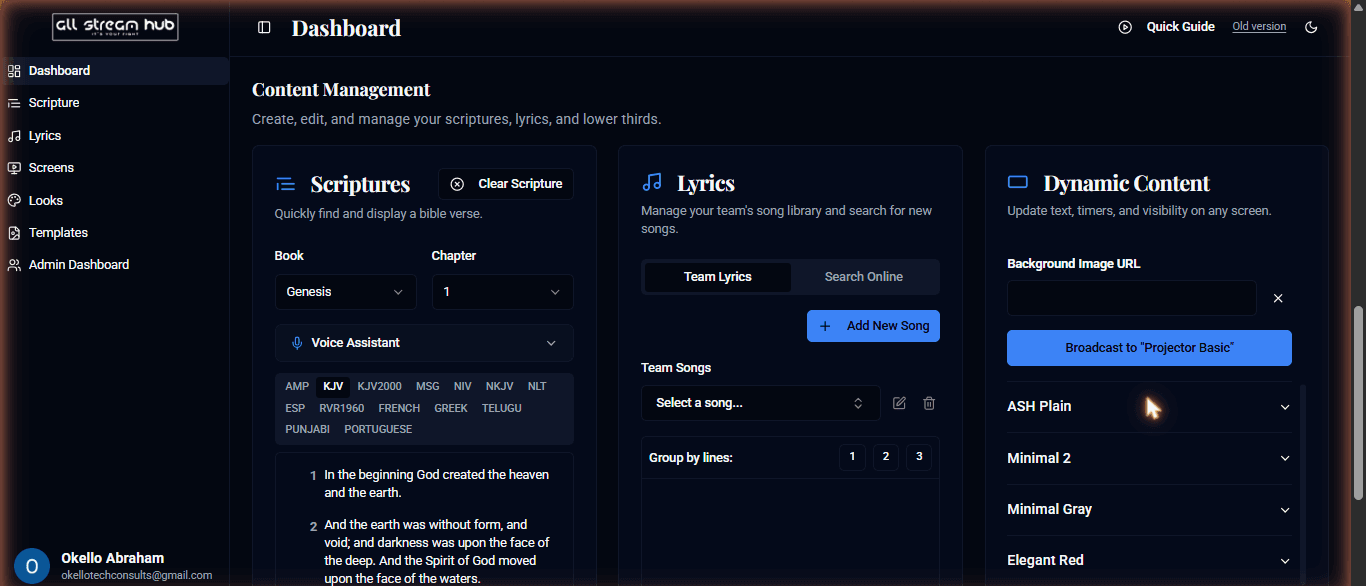
2Select a screen to expand its live controls.
3Toggle Visibility for Background, Scripture, and Lyrics layers independently — changes apply instantly, without a reload.
4Set a Background Image URL if the screen needs one.
5Select Broadcast to "<Screen Name>" to push your changes live.
Screenshots
The Content Management section of the dashboardThe Dynamic Content panel expanded for one screen
Transcript
Dynamic Content is your live remote control for a screen. Expand a screen in that column and you get toggles for exactly what's showing — background, scripture, lyrics — each one switching instantly with no page reload. Set a background image if you need one, then hit Broadcast to push the change to that screen right away. It's the fastest way to make a small live adjustment without opening the full designer.
Ready to Go Live?
Add professional scripture, lyrics, and lower-thirds to your livestream with AllStreamHub — free to start.