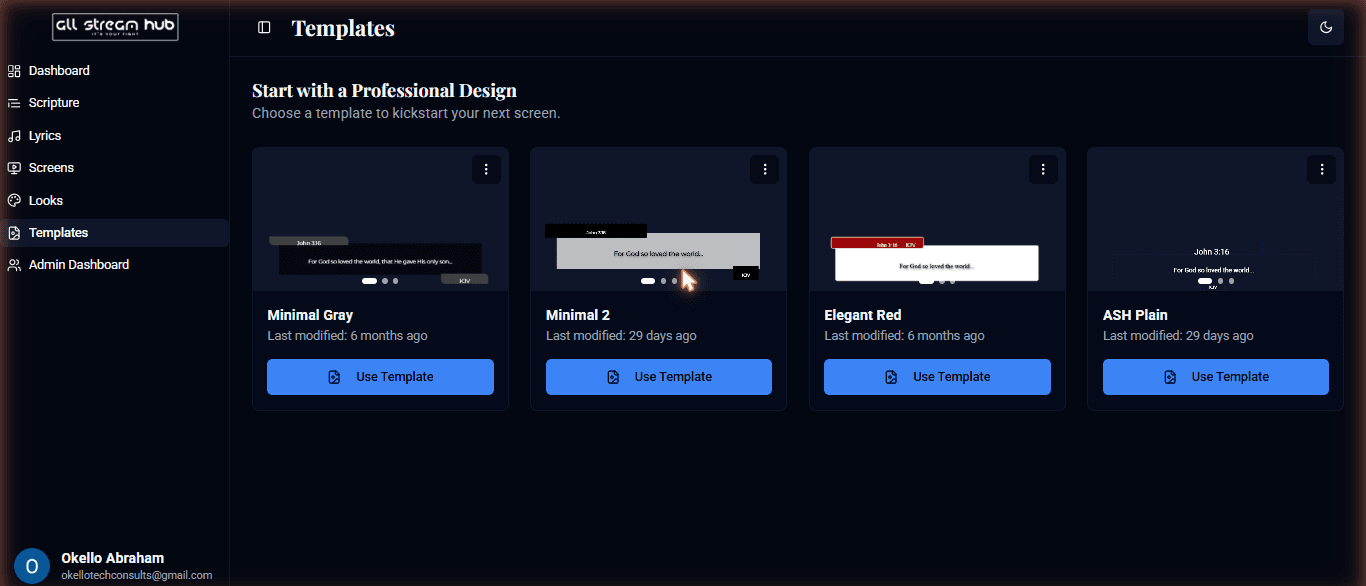
Skip the blank canvas — start from a professionally designed layout.
Steps
1Open Templates in the sidebar.
2Browse the professionally designed starting points — each shows a live preview of its look.
3Select Use Template on the one you like.
4It opens in the Screen Designer, ready for you to customize and save as your own screen.
Screenshots
The Templates page with previewed starting points
Transcript
If a blank canvas isn't where you want to start, the Templates page has you covered. Each card previews a professionally designed layout — clean lower thirds, bold scripture cards, minimal styles, and more. Click Use Template on the one that fits, and it opens directly in the Screen Designer already styled, ready for you to swap colors, text, and content and save it as your own screen.
Ready to Go Live?
Add professional scripture, lyrics, and lower-thirds to your livestream with AllStreamHub — free to start.